
The developer's admin
Run the sale behind every project from one place.
Buyers explore your projects. Your team runs the sale behind them: every lead with the buyer's journey, live inventory, your salespeople and agencies, and the map of everything you sell.
- Leads with the buyer's journey
- Live inventory
- Teams and agencies
- Portfolio map
One project, two sides
What buyers see, and what your team runs.
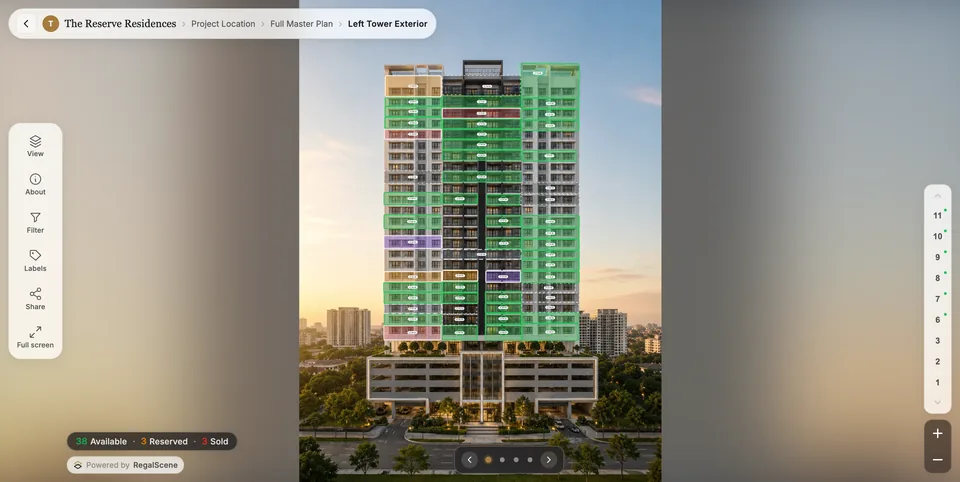
The project buyers explore and the admin your team works in are the same system. A unit marked sold in the inventory is sold on the masterplan; an enquiry made on a unit is a lead with that unit on it.
- Masterplan
- Project
- Tower
- Unit
- Enquiry
- Lead
- Your team
Leads and buyer intelligence
Every lead, with what the buyer actually did.
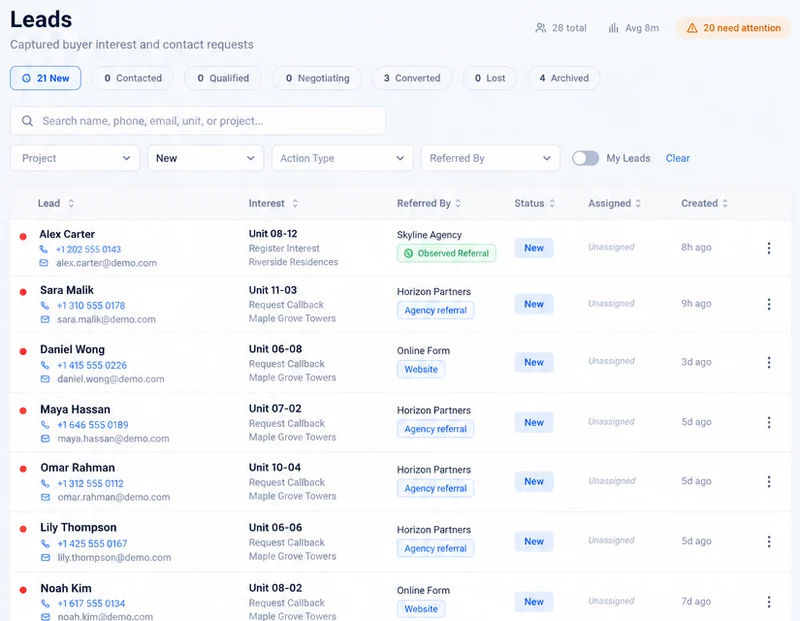
Open a lead and see who it is, which unit they asked about, where they came from, and their visit in plain steps: what they opened, which units they compared, what they shared. The units they showed interest in are listed with what they did on each, and any earlier enquiries from the same person are right there, so nobody calls a returning buyer as if they were new.
- Statuses from new to converted
- Assign to a salesperson
- Notes on every lead
- Filter by status, salesperson, channel or date
Sales tracking
Give every salesperson their own link. See what it brings.
Create a referral link for each salesperson or agency, per project. Every lead that arrives through it is credited to them automatically, and the credit stays on the lead even if names or agreements change. Filter leads by who brought them and follow each one from new to converted.
- Salesperson Aown link4 leads
- Salesperson Bown link2 leads
- Agency Cown link6 leads
- Masterplan
- Tower
- Floor
- Your website
- Agency sites
- Gallery screen
Inventory control
One inventory. Live on every screen.
Your team keeps units, status, price and details in one place, or imports them from a spreadsheet. Change a unit and the masterplan, towers and floors show it, on your website, every agency's site and the gallery screen. Show or hide prices per project or per agency. Homes, villas, plots and warehouses each get the fields they need.
Teams and agencies
The right people on the right projects.
- Project adminProject 1Project 2
- SalesProject 1
- SalesProject 2Project 3
- View onlyProject 3
Your team
Invite your people and assign each one to the projects they manage, with the role they need: project admin, sales, or view only.
Agency A
- Lead
- Lead
- Lead
Agency B
- Lead
- Lead
You see every agency and every channel
Your agencies
Add an agency and invite its people. They sign in and see only the leads they brought, never another agency's, while you see every channel. Each agency can carry its own contact details on its own website.
Portfolio map
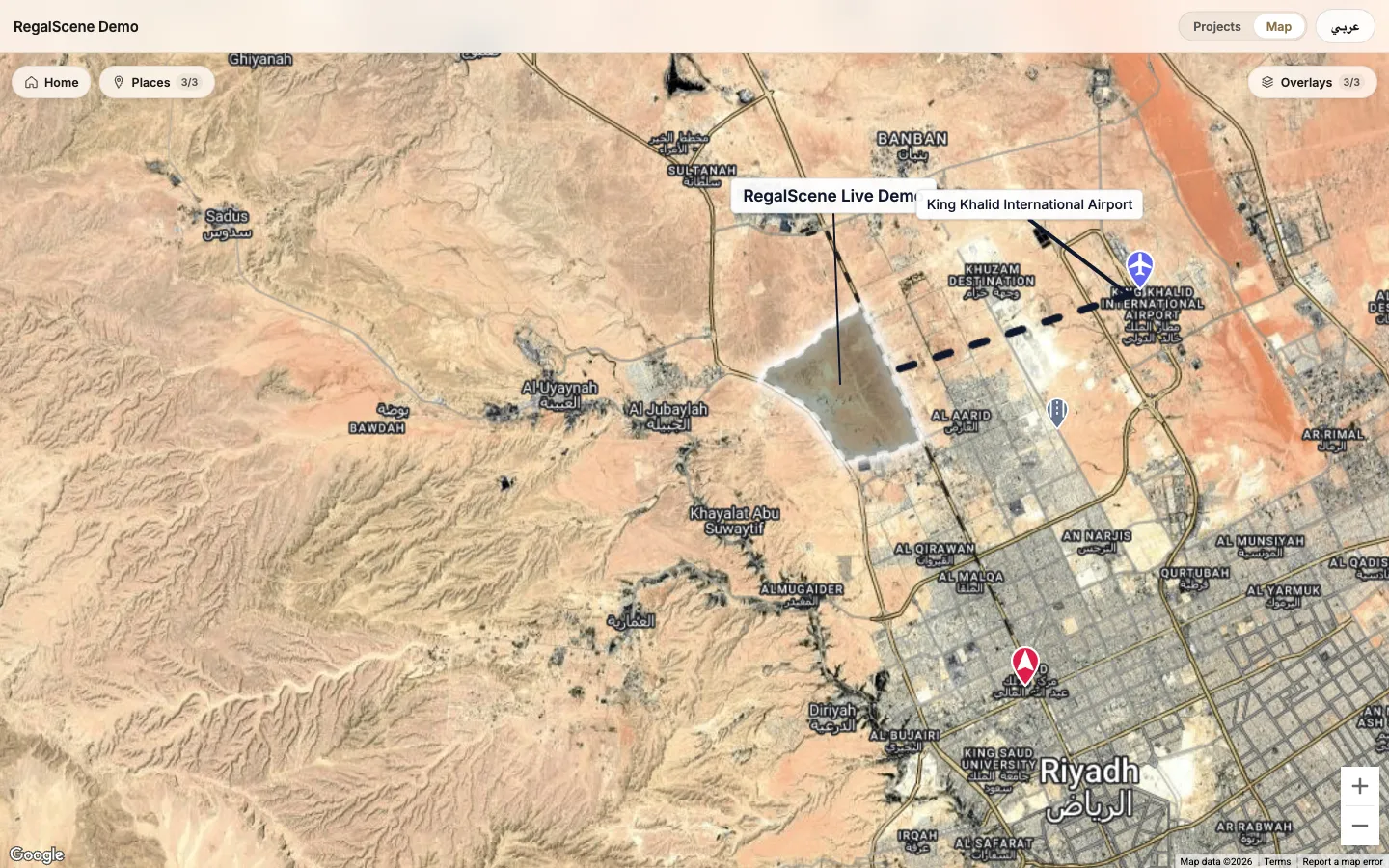
All your projects on one map.
Place every development on Google Maps with your labels and points of interest. Buyers start from the map, open any project and continue the full journey inside it. A developer with twenty projects across Malaysia gives buyers one entry point instead of twenty websites.
Questions
What developers ask about the admin.
Can we limit a salesperson to one project?
Yes. Each person is assigned to the projects they work on, with a role on each project.
Can agencies see each other's leads?
No. Each agency sees only the leads it brought, while you see every channel.
How do agencies get access?
You add the agency and invite its people. They activate their account by email and sign in.
Can we import our inventory?
Yes, from a spreadsheet (CSV). Your team edits units, status and prices from then on.
When we change a unit, when do buyers see it?
Straight away: the next time anyone opens the project, on your website, an agency's site or the gallery screen.
Does it connect to our CRM?
Not directly today. Leads are managed in RegalScene, with statuses, assignment and notes.

See a live project.
Explore The Reserve Residences, a demonstration project built in RegalScene, the way a buyer would. Or tell us how your team sells today.